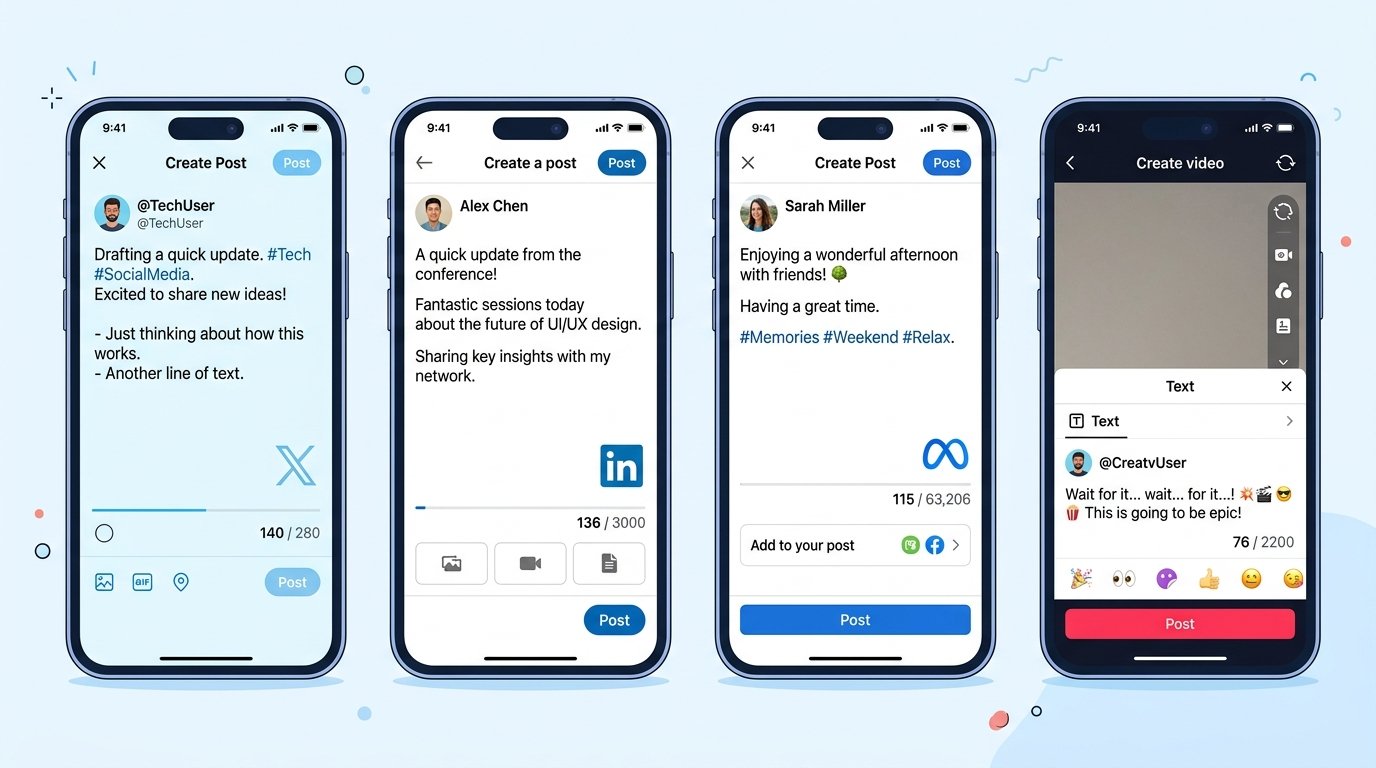
Every platform enforces a different hard limit on post length, and they change often enough that "I remember it being around 280" isn't a safe assumption anymore. Getting cut off mid-sentence, or writing a caption that gets truncated behind a "more" button, is an easy problem to avoid once you know the actual numbers.
Why These Limits Exist
Character limits aren't arbitrary. X's original 140-character cap (later doubled to 280) was built around SMS technical constraints. Instagram's caption limit exists partly to keep the visual feed clean. LinkedIn's much longer limit reflects its identity as a platform for professional, longer-form thinking. Each limit reflects what the platform wants that content format to feel like — quick and punchy, or considered and detailed.
Current Platform Limits
X (Twitter): 280 characters for standard posts; verified/paid accounts get a substantially higher limit for long-form posts.
Instagram captions: Up to 2,200 characters, but only the first ~125 characters show before "more" truncates the rest in-feed — write your hook accordingly.
Facebook posts: Technically allows over 60,000 characters, but engagement drops sharply past a few hundred; most high-performing posts stay under 80 characters.
LinkedIn posts: Up to 3,000 characters, with the first ~140 characters visible before truncation.
TikTok captions: Up to 2,200 characters.
YouTube descriptions: Up to 5,000 characters, though only the first couple of lines show before "show more."
Platforms update these limits periodically, so treat the numbers above as a reliable starting point and double-check on the platform itself before a high-stakes post.
The "Visible Before Truncation" Trap
The published maximum and the practical limit are two different things. Instagram allows 2,200 characters, but if your hook doesn't land in the first 125, most scrollers never tap "more" to see the rest. The same applies to LinkedIn's ~140-character preview and Facebook's truncation point. Writing for the full limit while ignoring the preview cutoff is a common way to waste your strongest line on text nobody sees without an extra tap.
How to Check Before You Post
Copy-pasting a caption into a platform and hoping it fits wastes time, especially when you're repurposing the same copy across multiple platforms with different limits. A faster approach: draft once, then check character count against each platform's cap before adapting. word counter shows a live character count as you type or paste, so you can see immediately whether a caption fits X's 280 limit or needs trimming for a platform-specific cap.

Practical Tips for Writing to a Limit
Front-load the point. Given how aggressively feeds truncate text, your first sentence needs to work standalone.
Cut qualifiers first. Words like "really," "very," and "basically" are usually the easiest cuts when trimming to fit.
Write platform-native, not repurposed. A caption trimmed down from a long LinkedIn post often reads as truncated rather than punchy — writing fresh for the shorter format tends to perform better.
Leave room for hashtags and mentions, which count toward the character total on most platforms.

Quick Reference
| Platform | Character Limit | Visible Before Truncation |
|---|---|---|
| X (Twitter) | 280 | Full post shown |
| Instagram caption | 2,200 | ~125 characters |
| LinkedIn post | 3,000 | ~140 characters |
| Facebook post | ~60,000 | ~250-480 characters |
| TikTok caption | 2,200 | ~150 characters (varies by app) |