Word Counter: The Free Online Tool for Counting Words, Characters, and More
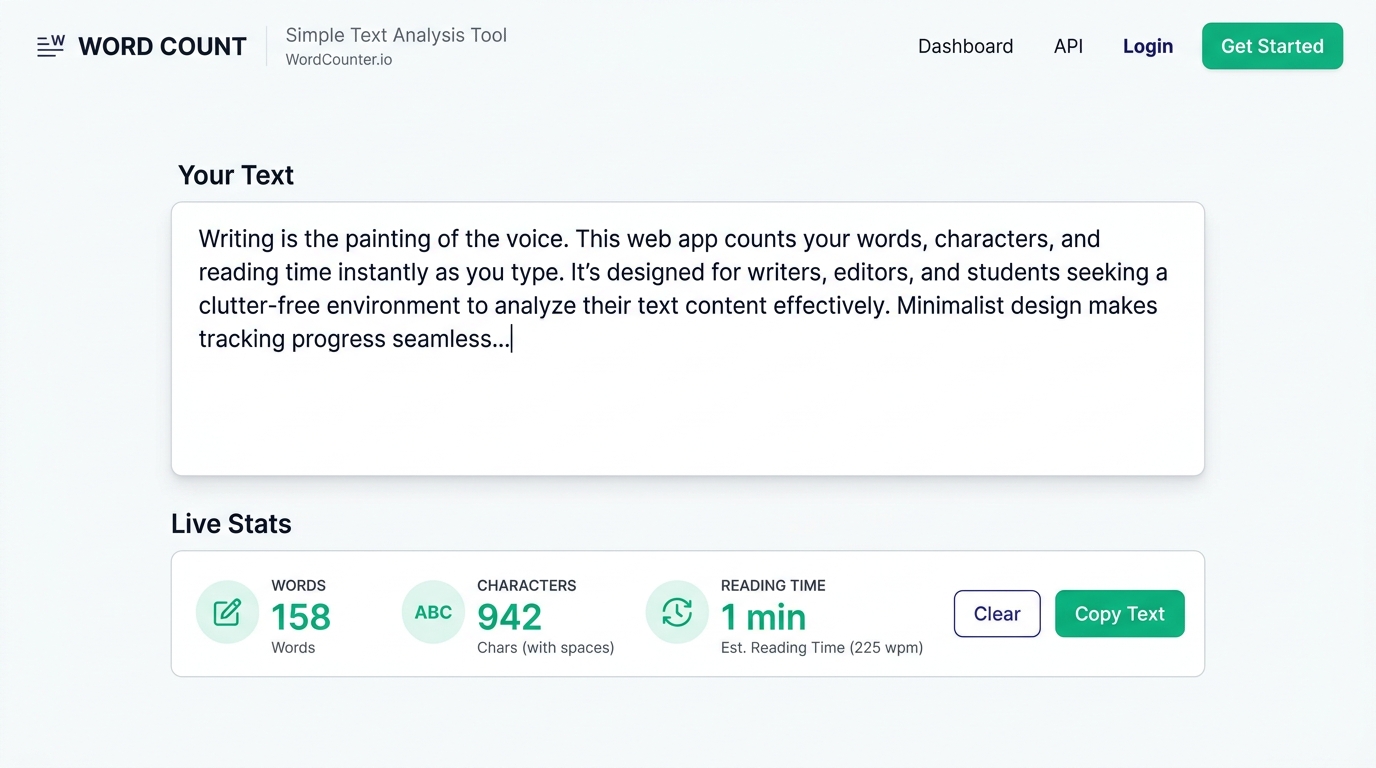
Paste your text into the box above and you'll see your word count update before you finish reading this sentence. That's really all a word counter needs to do well — but this page goes further, because "how many words is this" is rarely the only question people are actually asking.
A word counter is a tool that counts the words, characters, sentences, and paragraphs in a piece of text, usually in real time as you type or paste. Most people reach for one because they have a number to hit: a 500-word essay, a 160-character meta description, a 280-character tweet, or a 90,000-word manuscript. This tool counts all of that instantly, adds reading time, speaking time, a readability score, and a keyword density breakdown, and does it without uploading your text anywhere. You type, you see the numbers, you keep writing.
Below, we'll walk through exactly what each number means, why word count still matters across writing, publishing, and marketing, and how to use this tool for the specific thing you're working on — whether that's a college essay, a novel, a job application, or a landing page you're trying to rank on Google.
What Is a Word Counter?
A word counter is software that scans a block of text and reports how many words, characters, sentences, and paragraphs it contains. The concept sounds almost too simple to need explaining, but the details matter more than most people expect. Does "don't" count as one word or two? Does a hyphenated term like "well-known" count as one word or two? Does a number like "2026" count as a word?
Most word counters, including this one, follow the convention that any string of characters separated by whitespace counts as one word. "Don't" is one word. "Well-known" is one word. "2026" is one word. This matches how Microsoft Word, Google Docs, and nearly every publishing platform counts, which is why the number you see here should line up closely with what you'd see if you pasted the same text into those tools.
Character count works differently and is measured two ways: with spaces and without spaces. Platforms that enforce character limits — Twitter/X, SMS, meta descriptions — almost always count spaces as characters, so that's the number to watch when you're working against a hard limit.
How to Use This Word Counter
Using the tool takes three steps and no learning curve:
- Paste or type your text into the text box. You can paste from Word, Google Docs, email, a PDF, or type directly.
- Read your stats instantly. Word count, character count, sentence count, and paragraph count update live in the stats bar as you type — no button to click, no page reload.
- Check the extras you need. Scroll to see reading time, speaking time, keyword density, and a readability score, or switch to a specific limit tracker (Twitter, Instagram, meta description) if you're writing against a platform's character cap.
Nothing you type is uploaded to a server or stored anywhere. The counting happens directly in your browser, so the tool works even on a slow connection and your draft never leaves your device unless you choose to copy or download it.
Why Word Count Still Matters
It would be easy to assume word count is a solved, boring problem — but it quietly governs a huge amount of writing decisions. A few examples:
- Academic writing almost always comes with a strict word count, and going more than 10% over or under a stated limit often costs marks, regardless of how good the writing is.
- SEO content tends to perform better when it matches or exceeds the depth of top-ranking competitors, which means writers need to know, in real time, how their draft compares.
- Social platforms enforce hard character limits — go one character over and the post won't publish at all.
- Publishing contracts for books specify word count ranges by genre; a debut fantasy novel pitched at 40,000 words will struggle with agents expecting 90,000–120,000.
- Job applications reward concision — a two-page resume that runs to 900 words reads very differently from one that's been trimmed to 550.
In each case, the number itself isn't the point. It's a proxy for something else: whether you followed instructions, whether you gave a topic enough depth, whether your message will actually fit where you're putting it.
Word Count Standards Across Platforms
Different platforms and formats have wildly different expectations. Here's a quick reference for some of the most common ones:
| Format | Typical Length |
|---|---|
| Tweet / X post | 280 characters |
| Instagram caption | 125–150 words displays before "more"; 2,200 character hard limit |
| Meta description | 140–160 characters (roughly 920 pixels) |
| Title tag | 50–60 characters |
| Text message (SMS) | 160 characters per segment |
| College essay / personal statement | 500–650 words |
| Blog post (competitive SEO topics) | 1,500–2,500+ words |
| Short story | 1,000–7,500 words |
| Novella | 20,000–50,000 words |
| Novel (adult fiction) | 70,000–100,000 words |
| Resume | 400–800 words (fits one page) |
| Cover letter | 250–400 words |
| Speech (average speaking pace) | ~130–150 words per minute |
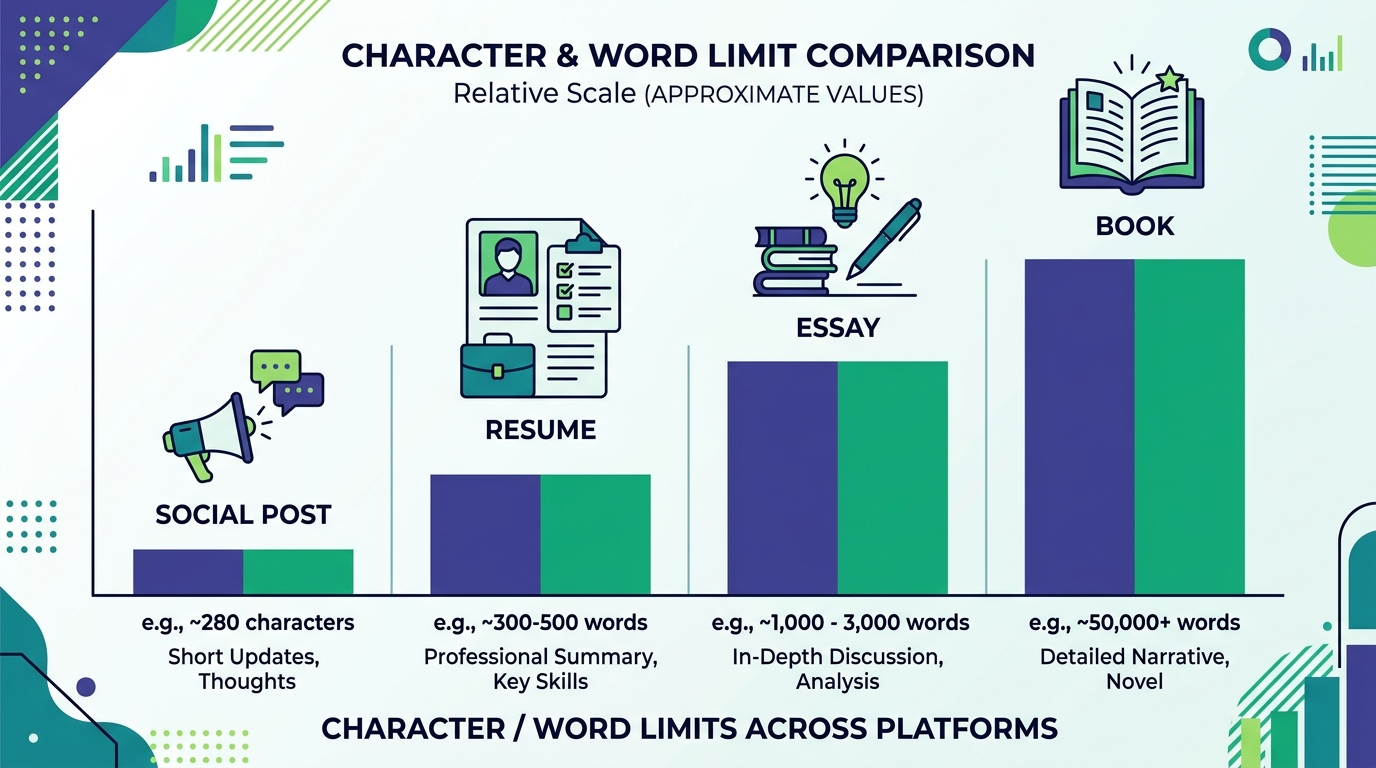
These aren't rigid rules — they're conventions built up over years of what actually performs, fits, or gets accepted. Knowing the target for your specific format saves you from writing 1,200 words for a platform that visually truncates after 150.
Character Counter vs. Word Counter: When to Use Each
A character counter and a word counter measure two different things, and picking the wrong one can genuinely cost you a rejected post or an over-length application.
Use a character counter when:
- Writing for a platform with a hard character cap (X/Twitter, SMS, meta descriptions, title tags)
- Formatting a resume or document with a strict character allowance per field (common in online job applications)
- Writing in a language where word boundaries are less meaningful for length (many Asian languages measure length in characters, not words)
Use a word counter when:
- Meeting an academic or publishing word count requirement
- Estimating reading or speaking time
- Comparing the depth of your content against competitors for SEO
- Tracking progress on a longer project like a book or thesis
This tool tracks both simultaneously, so you don't have to guess which one applies — you'll see character count with and without spaces right alongside your word count at all times.
Reading Time and Speaking Time, Explained
Reading time is calculated from an average adult silent-reading speed, typically cited around 200–250 words per minute for general content. This tool uses that range to estimate how long your article, email, or post will take a reader to get through — useful for blog posts (readers decide whether to commit based on that number) and for internal newsletters where "2 min read" sets expectations before anyone starts reading.
Speaking time works differently. The average speaking pace for a prepared speech or presentation sits around 130–150 words per minute — noticeably slower than silent reading, because speech includes pauses, emphasis, and breathing room that reading doesn't. If you're prepping a 5-minute talk, that's roughly 650–750 words, not the 1,000+ you'd budget for a 5-minute read. Writers who skip this distinction are the ones who show up to a conference slot with double the material they can actually deliver.
Keyword Density and SEO Writing
Keyword density is the percentage of times a specific word or phrase appears relative to the total word count of a piece of text. If "word counter" appears 8 times in a 1,000-word article, that's a 0.8% density.
For content writers and SEO professionals, keyword density is a diagnostic tool, not a target to hit. Search engines in 2026 don't reward stuffing a phrase in repeatedly — they reward topical coverage, meaning the article actually and thoroughly answers what someone searching that phrase wants to know. What keyword density actually helps you catch is the opposite problem: repeating a term or phrase so often, usually without noticing, that it reads unnaturally to a human editor or triggers an over-optimization flag.
A reasonable rule of thumb: your primary keyword or its close variants should show up naturally, generally in the 0.5–1.5% range for long-form content, without ever feeling forced. This tool's keyword density panel lists your most frequent words and phrases with their percentage, so you can spot unintentional repetition before you publish rather than after a reader — or a search engine — notices it for you.
Readability Score, Explained
Readability scores estimate how easy a piece of text is to read based on sentence length and word complexity, most commonly using a formula like Flesch-Kincaid. The score correlates writing to a rough US school grade level: an 8th-grade readability score means someone with an 8th-grade education should be able to read the text comfortably.
For most general-audience writing — blog posts, marketing copy, emails — aiming for an 8th- to 10th-grade readability level tends to perform best, even when the actual audience is highly educated. Simple sentences reduce the cognitive load for the reader; being easy to read isn't the same as being unsophisticated.
Academic writing, legal documents, and technical papers reasonably sit at a higher grade level, since precision and specificity there matter more than skimmability. Google Docs has no readability score at all, which is one reason writers who care about it — journalists, SEO content teams, UX writers — often paste finished drafts into a separate tool like this one just to check the number before publishing.
Word Counter for Students and Academic Writing
Academic word counts exist for a reason: they force writers to develop an argument at an appropriate depth without padding it into irrelevance. A 1,500-word essay and a 3,000-word essay on the same topic are expected to do fundamentally different things — the shorter one demonstrates focus, the longer one demonstrates depth and synthesis across more sources.
Most instructors and grading rubrics apply a tolerance of around 10% above or below the stated limit before it affects the grade, though some strict formats — standardized test essays, application personal statements, dissertation abstracts — enforce a hard cap with no wiggle room at all. IELTS and TOEFL writing sections, for example, penalize essays that fall meaningfully under the minimum word count, since the task is explicitly testing whether a candidate can develop an idea at length in a second language.
For longer academic work like a dissertation or thesis, chapter-by-chapter word budgets matter more than the total. A 10,000-word thesis with an 800-word introduction and a 6,500-word literature review is structurally lopsided, even if the total number is exactly on target. Pasting each section into a word counter as you draft — rather than only checking the finished document — catches that kind of imbalance early enough to fix it.
Word Counter for Authors and Book Writers
Fiction and non-fiction manuscripts live and die by genre-specific word count expectations that most first-time authors don't know exist until an agent or publisher tells them their manuscript is the wrong length for the category.
Rough industry benchmarks:
- Picture books: 500–1,000 words
- Middle grade fiction: 30,000–55,000 words
- Young adult fiction: 50,000–90,000 words
- Adult fantasy/sci-fi: 90,000–120,000 words (debut authors are often held closer to the lower end)
- Adult literary/commercial fiction: 70,000–100,000 words
- Memoir/narrative non-fiction: 70,000–90,000 words
Writers tracking a daily word count goal — a NaNoWriMo-style 1,667 words a day to hit 50,000 in a month, or a slower, sustainable 500-a-day pace — benefit from pasting each writing session into a counter rather than trusting their word processor's running total, especially when drafting across multiple documents or scenes that eventually get merged. It's also the fastest way to catch a scene that's ballooned to three times the length it needed, a common and specific failure mode in first drafts.
Word Counter for Professionals: Resumes, Cover Letters, and Job Ads
A resume that runs long doesn't read as more accomplished — it reads as unedited. Hiring managers scanning dozens of applications spend seconds, not minutes, on a first pass, and a resume that fits comfortably on one page (roughly 400–800 words, depending on formatting and experience level) respects that constraint. Two pages is acceptable for candidates with 10+ years of relevant experience; beyond that, length starts working against the applicant rather than for them.
Cover letters have an even tighter expectation: 250–400 words is the sweet spot. Long enough to make a specific case for the role, short enough that it actually gets read in full rather than skimmed for keywords.
On the hiring side, job description writers use word counters for a different reason — long, dense job postings measurably reduce application completion rates. Trimming a posting from 900 words down to a focused 400–500 tends to increase the number of qualified candidates who finish the application rather than abandoning it partway through.
Word Counter for Social Media and Marketing
Every major social platform enforces its own length rules, and they change often enough that writers who don't check regularly end up working from outdated assumptions:
- X (Twitter): 280 characters for standard posts
- Instagram captions: display truncates around 125–150 words before "...more," even though the technical limit is much higher
- LinkedIn posts: truncate around 140 characters on mobile before "see more"
- YouTube video descriptions: the first 100–150 characters show above the fold before a viewer has to click to expand
- Meta descriptions: 140–160 characters is the safe zone before Google truncates in search results
The pattern across nearly every platform is the same: the effective limit that matters for engagement is almost always shorter than the technical hard limit. A caption that's allowed to run to 2,200 characters on Instagram but gets cut visually at 150 words is, in practice, a 150-word caption — everything after that point is competing with a "more" button that most scrolling users never tap.
Word Frequency and Repetition
Beyond keyword density for SEO, a word frequency breakdown is useful for catching a habit almost every writer has and almost never notices in their own work: leaning on the same handful of words or transitional phrases far more than intended. "However," "additionally," and "in order to" are common offenders — perfectly fine words individually, but a paragraph that uses "however" four times in six sentences reads as repetitive even to a reader who couldn't say exactly why.
Running a finished draft through a word frequency check before publishing is a fast way to catch this without doing a full manual re-read. It won't tell you which repetitions are stylistic choices and which are accidents — that judgment call is still yours — but it puts the pattern in front of you where a normal read-through easily misses it.
How Accurate Is a Word Counter? Edge Cases Worth Knowing
Word counters are consistent, but "consistent" and "identical to every other tool" aren't quite the same thing, and small differences show up at the edges:
- Hyphenated words ("well-known," "up-to-date") are typically counted as one word, matching Word and Google Docs.
- Contractions ("don't," "it's") count as one word each.
- Numbers and standalone symbols ("2026," "$50") each count as one word.
- Em dashes and en dashes used without surrounding spaces can sometimes merge two words into what a counter reads as one, depending on formatting — worth a manual spot-check if your count looks suspiciously low.
- Pasted text from PDFs occasionally carries hidden line-break characters that split words unpredictably; if a word count from a PDF looks off, try pasting into a plain text editor first, then into the counter.
None of these edge cases will meaningfully shift a count on a 1,000-word article, but they can create small, real discrepancies between two different tools on the exact same text — which is normal, not a sign either tool is "wrong."
Tips to Hit Your Word Count Without Padding
Writers under pressure to hit a minimum often reach for padding — repeating a point in different words, adding a redundant example, inflating sentences with filler phrases. It usually reads as exactly what it is. A few better approaches:
- Add a real example or a specific number instead of restating the same claim in different words — it adds genuine value and length at the same time.
- Expand a claim with the "so what" — if you've stated a fact, follow it with why it matters to the reader specifically.
- Address a natural follow-up question the reader would have after your last point, rather than padding the current one.
- Cut instead of add, then re-measure — a tighter draft sometimes reveals you were closer to the target than you thought, once filler is removed.
If you're consistently landing far under a required word count, that's usually a sign the outline needs another section or subtopic, not that the existing sections need to be stretched.
Word Counters Across Devices and Platforms
Most major writing tools have some built-in word count feature, but they're not always easy to find, and none of them offer the extras — reading time, keyword density, readability score — that a dedicated tool provides:
- Microsoft Word shows a live word count in the bottom status bar; right-click it to add character count to the same display.
- Google Docs shows word count under Tools → Word count, or via the keyboard shortcut Ctrl+Shift+C (Cmd+Shift+C on Mac) — it does not include a readability score.
- Google Docs mobile app requires opening the three-dot menu, since the count isn't visible by default the way it is on desktop.
- Pages (Mac) shows word count in the bottom toolbar, toggleable to show characters instead.
- Notes apps and plain text editors typically don't count words at all, which is exactly the gap a browser-based counter like this one fills — paste from anywhere, get the numbers instantly, no app switching required.
Because this tool runs entirely in the browser, it works the same way on a phone, a locked-down work laptop, or a Chromebook — no extension to install, no account to create, no software update to wait on.
Word count, at the end of the day, is a stand-in for something more specific: did you follow the brief, did you give the reader enough, did your message actually fit where you're putting it. Paste your draft back into the tool above any time you need that answer in the next half second, not the next five minutes.